

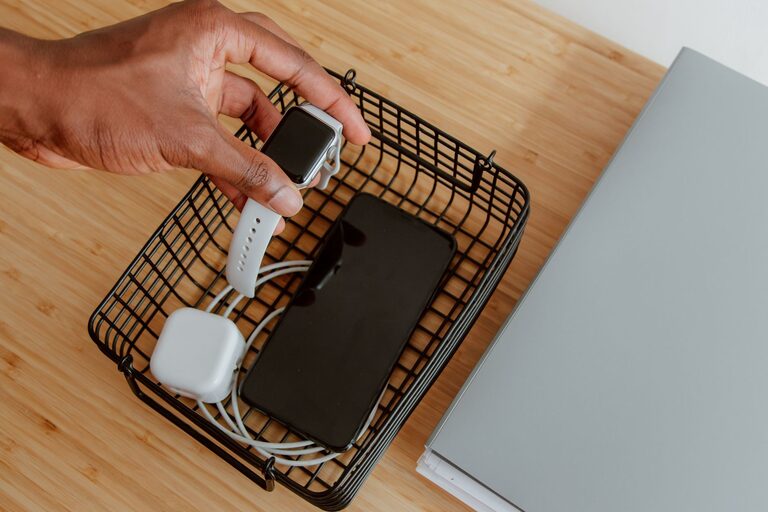
Setting up a dedicated charging station for your devices is a simple yet effective way to keep your gadgets powered and your space tidy. Whether you have smartphones, tablets, wireless earbuds, or smartwatches, having a central spot to charge everything helps reduce clutter, prevents cable mess, and makes it easy to grab your devices when you’re on the go.
In this guide, we’ll walk you through the steps to create a functional charging station tailored to your needs. From choosing the right location to organizing cables, you’ll learn practical tips that anyone can follow.
Why You Need a Charging Station
Before diving into the setup, let’s look at some benefits of having a charging station:
– Reduces clutter: No more tangled cables spread across your desk or countertop.
– Saves time: Quickly find your devices and charge them all in one place.
– Protects devices: Prevents damage from frequent plugging and unplugging in multiple locations.
– Improves aesthetics: Keeps your living or work area neat and organized.
Step 1: Choose the Perfect Location
Start by selecting where your charging station will live. Consider these factors:
– Accessibility: Pick a spot that’s easy to reach, such as a desk, entryway table, or nightstand.
– Power source: Make sure there’s an available electrical outlet nearby.
– Space: Ensure the area has enough room for your devices and chargers without feeling cramped.
– Safety: Avoid spots near water or heat sources to protect your electronics.
Step 2: Gather Your Charging Equipment
To build an effective charging station, you’ll need:
– Multi-port USB charger or power strip: Choose one with enough ports to accommodate all your devices. A charger with USB-C and USB-A ports provides flexibility.
– Charging cables: Use cables compatible with your devices, and consider labeling them for easy identification.
– Cable organizers: Items like cable clips, ties, or sleeves help keep cords neat.
– Charging stands or docks (optional): These help hold devices upright and reduce clutter on the surface.
Step 3: Organize Your Devices
Think about which devices you want to charge regularly, such as:
– Smartphones
– Tablets
– Smartwatches
– Wireless earbuds
– E-readers
– Portable batteries
Make a list so you know how many charging ports and cables you’ll need.
Step 4: Set Up the Charging Station
Plug in the Power Source
Start by placing your multi-port charger or power strip near the chosen location and plug it into the wall outlet. Use a power strip with surge protection for added safety.
Arrange Your Cables
Use cable organizers to bundle and route cables neatly. Here are some tips:
– Cable clips: Attach these along the edge of the desk or table to hold cables in place.
– Cable sleeves: Group multiple cables together for a cleaner look.
– Velcro ties or reusable cable ties: Bundle excess cable length to prevent tangling.
Position Charging Stands or Docks
If you have charging stands, arrange them so devices can rest comfortably while charging. This keeps your devices visible and easy to grab.
Step 5: Keep the Area Clean and Functional
To maintain your charging station:
– Regularly check cables for wear or damage.
– Unplug chargers when not in use to save energy.
– Wipe the surface regularly to prevent dust build-up.
– Update your setup as you add or remove devices.
Additional Tips for a Great Charging Station
– Use a label maker or colored tape to mark each cable for quick identification.
– Choose wireless charging pads for compatible devices to reduce cable clutter.
– Add a small basket or drawer nearby to store accessories like headphones or extra cables.
– Consider a charging station with smart features, such as USB Power Delivery or fast charging capabilities, to power devices faster.
Conclusion
Creating a dedicated charging station helps keep your devices powered up and your space organized. By selecting a good location, gathering the right equipment, and using simple cable management techniques, you can enjoy a clutter-free environment and always know where to find your gadgets.
With a little effort, your charging station will become a convenient hub that keeps your technology ready to use every day. Happy charging!